MOTIVE › Guides › Quotes Widget
How to Put Motivational Quotes on Your iPhone Home Screen
You check your phone dozens of times a day. Each unlock is either a slot machine of notifications — or a chance to see the one sentence you chose to live by today. A motivational quotes widget turns your most repeated habit into your most reliable source of fuel.
Why a widget beats an app you have to open
- Zero friction. You don't have to remember to open anything — the quote is just there, on the home screen.
- Spaced repetition. Seeing your quote of the day 30–50 times quietly drills it into your thinking.
- Interrupts the doomscroll. The widget sits exactly where your thumb was headed anyway.
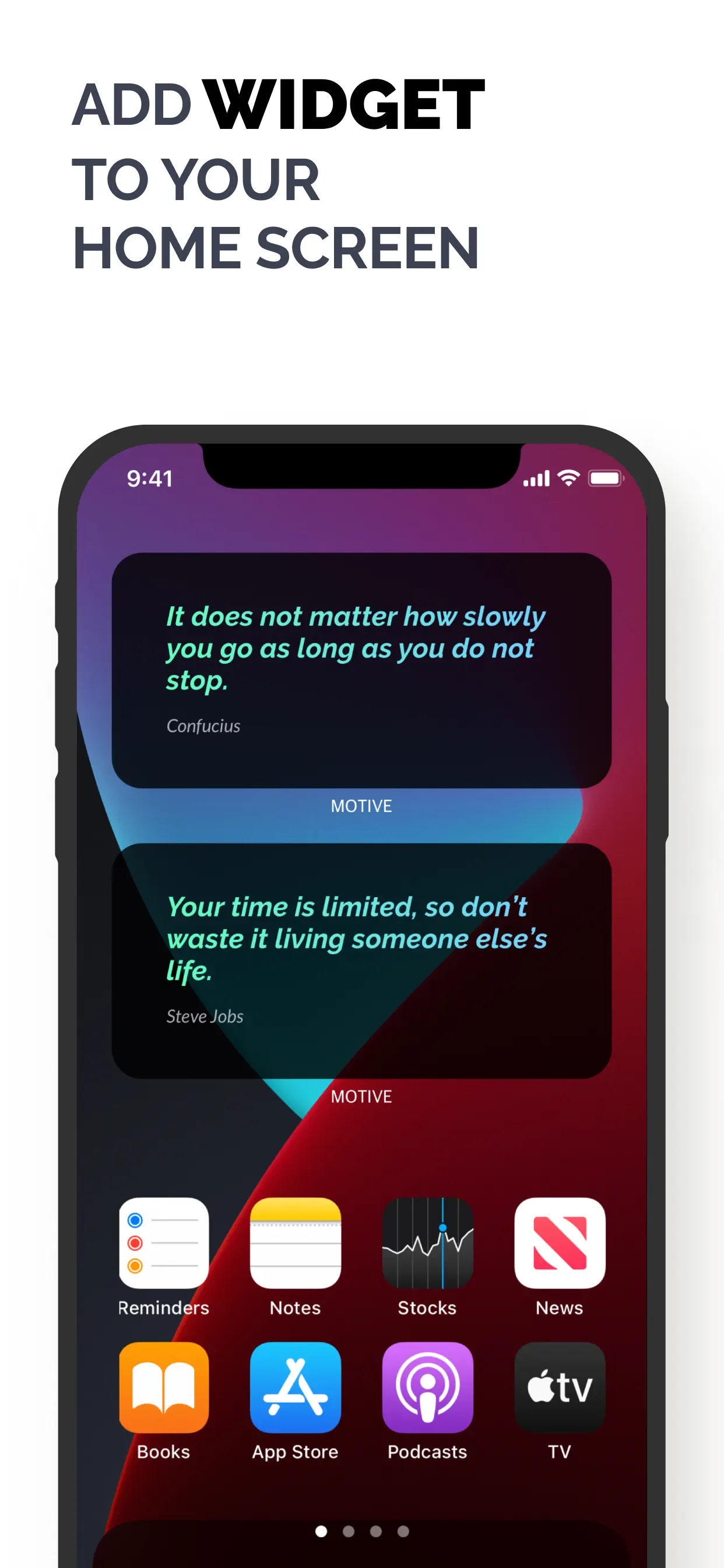
Set up the MOTIVE widget on iPhone (60 seconds)
- Install MOTIVE free from the App Store and pick your first quote of the day.
- Long-press any empty spot on your home screen until the icons jiggle.
- Tap the Edit → Add Widget button in the corner.
- Search for MOTIVE in the widget gallery.
- Swipe to choose a size — small for a punchline, medium for the full quote — then tap Add Widget.
- Tap Done. Your quote of the day now lives on your home screen and updates as you pick new quotes.
💡 Android user? Same idea: long-press the home screen → Widgets → MOTIVE. Get MOTIVE on Google Play.
Widget placement tips that actually matter
- First page, top half. Put the widget where your eyes land on unlock — not on page three.
- Pair it with your problem app. Place the widget right above Instagram or TikTok. Your quote gets the first word before the feed does.
- Refresh it daily. The widget shows the quote you chose — picking a fresh one each morning (the Daily 5 ritual) keeps it from becoming wallpaper.
Make it a system, not a decoration
The widget is one layer of MOTIVE's motivation loop: morning Daily 5 → your pick → widget + reminders through the day → Night Review before bed. Words you see repeatedly become the way you talk to yourself. Choose them deliberately.
Put your quote where your eyes already are
Free on iOS & Android · Widget included

