BabyBloom › Guides › AI Baby Generator
AI Baby Generator: See Your Future Baby From Mom & Dad's Photos
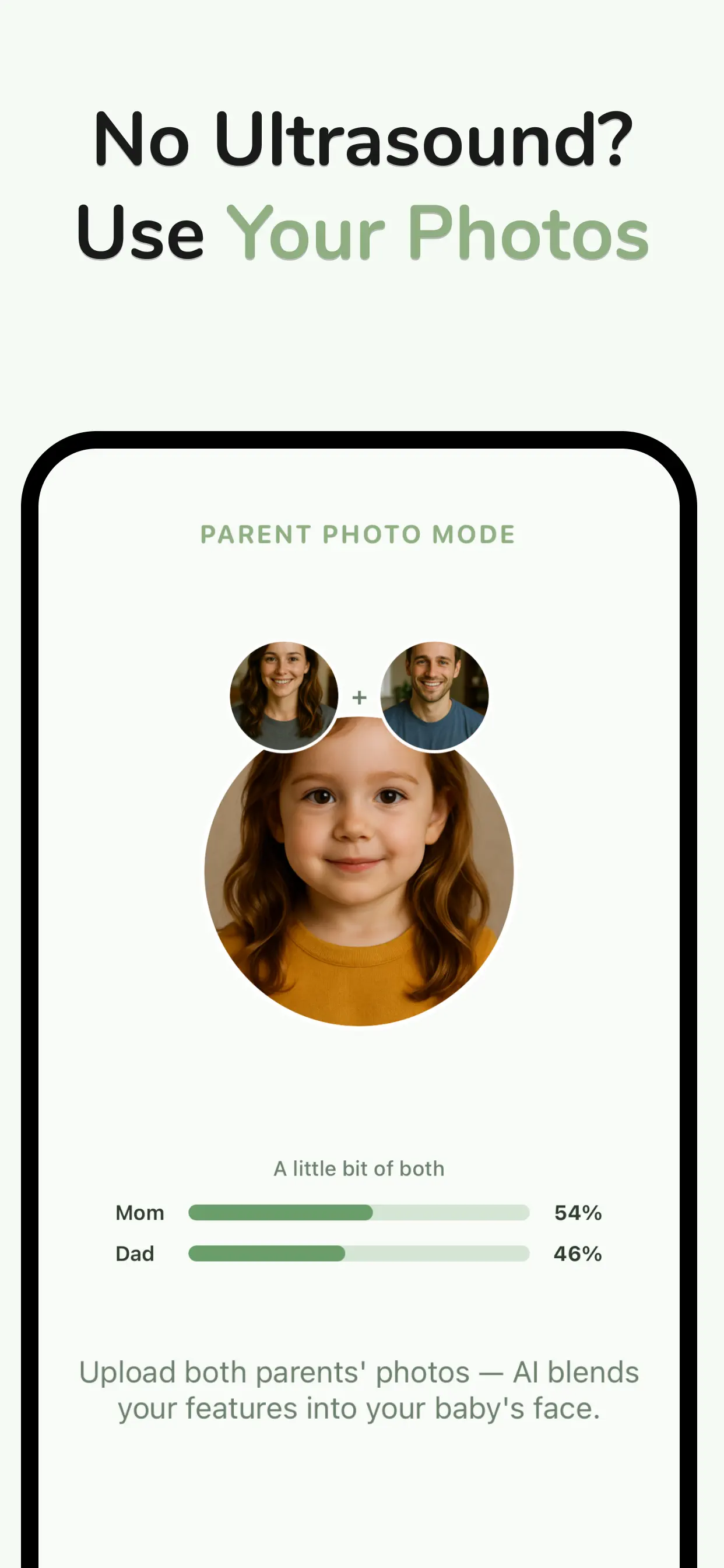
Every couple has played the game: your eyes, my smile, hopefully your hair. An AI baby generator turns that game into a picture. Upload one photo of each parent, and in seconds you're looking at a realistic face that's unmistakably a little bit of both of you.
How does an AI baby generator work?
Under the hood, the AI analyzes both parents' facial features — eye shape and color, nose structure, lip curve, face shape, skin tone — and blends them the way genetics might: not a 50/50 average, but a plausible combination where some features come through stronger than others.
BabyBloom's Parent Photo Mode goes a step further with a resemblance breakdown: alongside the generated baby face, you'll see exactly whose features dominated — say, Mom 54% / Dad 46%. It's the part everyone screenshots.
How to get the most realistic result
- Use clear, front-facing photos of each parent — good lighting, face unobstructed.
- One face per photo. Crop out friends, sunglasses and heavy filters.
- Pick your baby's gender in the app to guide the generation.
- Try a few photo pairs. Different source photos surface different feature blends — part of the fun.
Step by step with BabyBloom
- Download BabyBloom free from the App Store.
- Choose Parent Photo Mode.
- Upload one photo of Mom and one of Dad.
- Select gender and preferences.
- Generate — the AI blends your features into a 2K portrait, complete with the Mom/Dad resemblance breakdown.
- Save it, send it to the group chat, and watch the reactions roll in.
Is an AI baby generator accurate?
It's entertainment with a scientific flavor — real genetics are far more complex than blending two photos, and even siblings from the same parents look different. Treat the result as one beautiful possibility, not a prophecy.
That said, if you're already pregnant with a 3D ultrasound in hand, you can do much better than a guess: BabyBloom's Ultrasound Mode works from your baby's actual facial structure. See how to turn your ultrasound into a baby picture.
When to use which mode
- Parent Photo Mode — before pregnancy, early pregnancy, or pure curiosity. Fast, fun, shareable.
- Ultrasound Mode — from your first 3D scan onward. The most personal preview possible; ideal for showers and announcements.
What will your baby look like?
Two photos. One minute. A face you'll never forget.

