BabyBloom › Guides › Ultrasound to Baby Picture
How to Turn Your Ultrasound Into a Baby Picture with AI
You're staring at your 3D ultrasound, tilting it, squinting — trying to imagine the little face behind the golden blur. You're not alone: turning an ultrasound into a realistic baby picture is one of the most-searched wishes of pregnancy. The good news? With today's AI, it takes about a minute.
Can you really turn an ultrasound into a baby photo?
Yes. Modern AI models are trained to read the facial geometry inside 3D ultrasound scans — the shape of the nose, the curve of the lips, the depth of the eyes, the roundness of the cheeks. Because a 3D scan already contains your baby's true facial structure, the AI isn't inventing a random baby: it's translating your baby's features into a lifelike, portrait-quality photograph.
Think of it like a skilled artist looking at the scan and painting what those features will look like with real skin, soft light, and newborn detail — except it happens automatically, in seconds, at 2K resolution.
Which ultrasound images work best?
- 3D or 4D scans work best — they capture the depth information the AI reads.
- Face-forward poses beat profiles. If baby is hiding, use a different frame from your session.
- Weeks 26–32 is the golden window — defined features, enough room to see the face. (More in our best time for a 3D ultrasound guide.)
- A clear photo of the scan is fine — you don't need the original file. Just avoid glare when photographing a printout.
How to do it with BabyBloom (step by step)
- Download BabyBloom free from the App Store.
- Choose Ultrasound Mode and upload your 3D ultrasound photo from your camera roll — or snap a picture of the printout.
- Select gender and preferences so the AI can personalize the prediction.
- Generate. The AI reads the facial geometry in your scan and creates a portrait-quality 2K image of your baby's face.
- Save & share. Download the portrait, compare it side-by-side with the original scan, and share the moment with family.
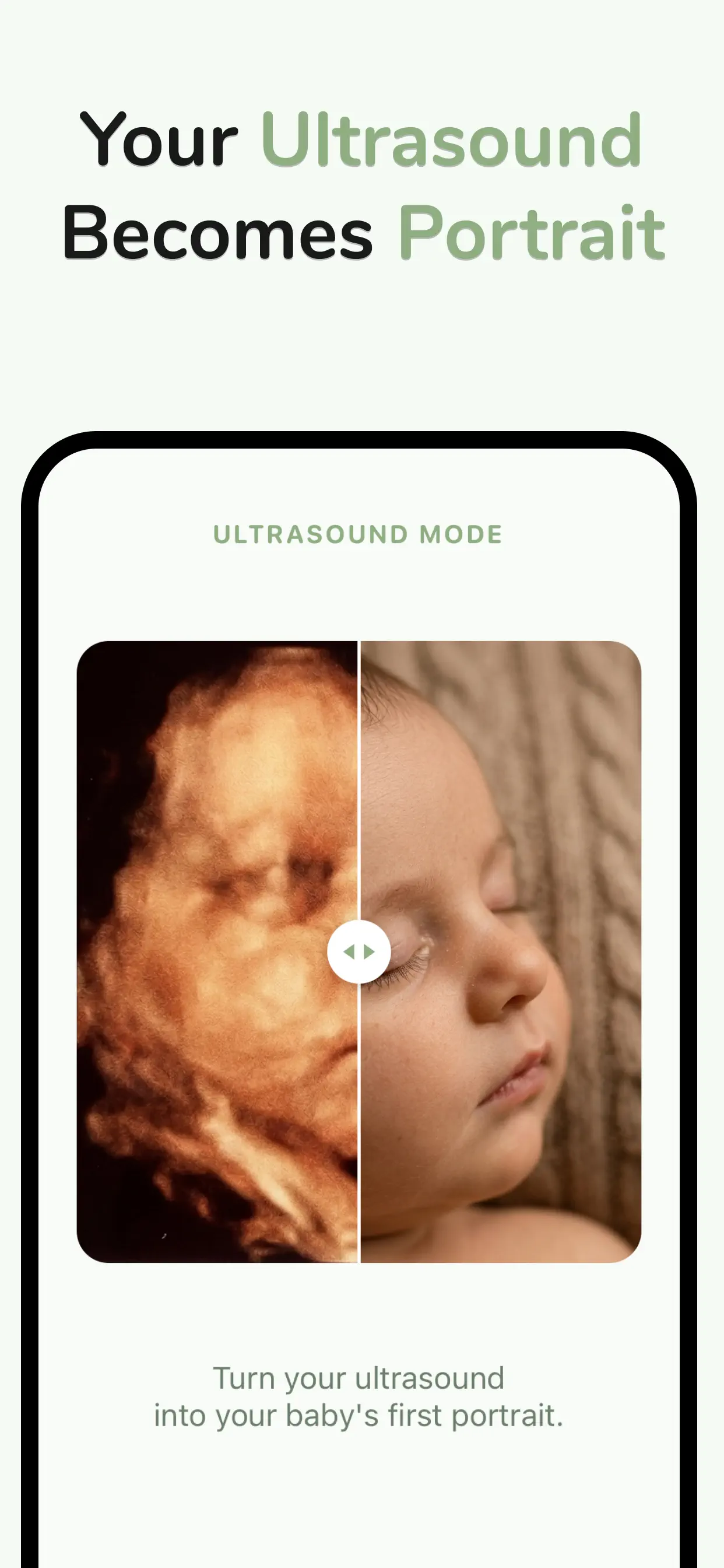
What you'll get
BabyBloom renders a 2K portrait-quality image — sharp enough to print for the nursery wall, frame for grandparents, or use as the centerpiece of a baby shower reveal. The in-app before/after slider makes an irresistible share: swipe from the golden 3D scan to the lifelike newborn face.
Is it accurate?
Because the AI starts from your baby's real scanned structure, core features — nose, lips, cheeks, jawline — tend to carry over well. What no scan can show (skin tone, hair, expression) the AI fills in as a realistic prediction. For a deeper look at what to expect, read Does my baby really look like the 3D ultrasound?
Turn your ultrasound into a portrait today
Free to download · 2K portrait quality · Results in about a minute

